

A vape blinking no hit problem is one of the most common troubleshooting questions pod users ask. You press the button or take a draw, the LED flashes, and nothing comes through. The good news is that a vape blinking no hit issue can usually be sorted out in a few minutes with a simple routine and no special tools.
This guide walks you through five checks, ordered from easiest to most involved: battery, pod seating, e-liquid and coil, airflow and puff limits, and replacement. By the end, you will know how to fix a vape blinking no hit fault yourself and when it makes sense to swap the pod or the device.
Why Is My Vape Blinking No Hit?
A blinking LED is your device’s way of telling you it has detected something that stops it from firing. Think of it as a dashboard warning light. When you see a vape blinking no hit pattern, the cause usually falls into one of four groups: power, connection, liquid or protection settings. Knowing which group you are dealing with saves a lot of time.
The encouraging part is that a vape not working issue like this is rarely permanent. Most pod systems have built-in protection circuits. They stop the device from firing when the battery is low, the pod isn’t detected, or a single draw lasts too long. The blinking is the device protecting itself, not a sign of failure.
What Does a Blinking Vape Light Mean?
Blink behaviour varies by brand and model. A vape light blinking when you draw usually points to a power or connection issue, while blinking during charging is often just a status indicator. Always check your manual for the exact pattern your device uses. The table below shows the general logic most pod devices follow.
| What you see | Common meaning | Go to |
| Blinks when you press or draw | Low battery or protection triggered | Check 1 or Check 4 |
| Blinks quickly, no vapour | Pod not detected or poor contact | Check 2 |
| Blinks while plugged in | Often a normal charging indicator | Check 1 |
| Blinks and tastes dry | Empty pod or worn coil | Check 3 |
| Blinks straight out of the box | Possible shipping fault | Check 5 |
If your vape blinking no hit pattern does not match any row, look up the model name in the manufacturer’s guide. That is the most reliable way to decode your device’s specific signals.
Check 1: Battery and Charging
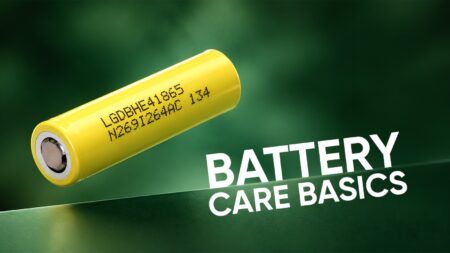
A drained battery is the most common reason behind a vape blinking no hit complaint. Even if the device worked yesterday, a heavy day of use can drain it faster than you expect. Here is how to check properly:
- Plug it in using a cable and adapter you know work. A faulty cable or a loose outlet is a surprisingly common culprit.
- Give it time. A fully drained battery may take several minutes for the indicator to change, so don’t judge the result after thirty seconds.
- Look at the indicator. Some devices show a vape light blinking during charging, which is normal. Others turn solid or switch off when full.
- Try another power source. If one outlet or USB port fails, test a second one.
- Check the port. Make sure the charging port is free of lint or debris, and that the plug sits fully inside.
Once the battery has some charge, try the device again. If it fires normally, you have solved the problem. If it still blinks, move to Check 2.
Check 2: Pod Seating and Contacts
Poor contact between the pod and the battery section is another common cause of a vape blinking no hit message. Pods connect through small metal contacts, and if they don’t touch properly, the device cannot detect the pod, so it will not fire.
- Remove the pod and reinsert it. Push until you feel or hear a click.
- Look at the contacts. Both the pod’s base and the device’s connectors should be clean and dry.
- Wipe gently. Use a dry, soft cloth or cotton bud on the metal contacts. Do not use water or cleaning liquids.
- Check the pod type. Make sure the pod is designed for your exact device model. Pods that look similar can differ slightly in size or connector layout.
- Try a second pod. If you have a spare, swapping it in will immediately tell you whether the pod or the device is at fault.
If the device fires after reseating, the connection was the culprit. Keeping the contacts clean helps prevent it from happening again.
Check 3: E-Liquid Level, Priming and Coil
When people report a pod not hitting, the cause is often inside the pod rather than the battery. The coil needs a steady supply of e-liquid to work properly, and a few things can interrupt that.
- Check the level. If the pod is nearly empty, the coil may not be getting enough liquid to produce vapour.
- Prime a fresh pod. After filling or fitting a new pod, wait a few minutes so the liquid can soak into the coil’s wicking material. Follow the timing suggested on the pack.
- Fill to the line, not beyond. Overfilling can flood the airflow channel and affect performance.
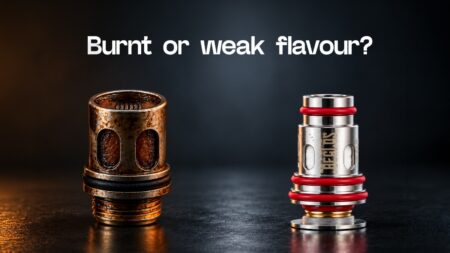
- Watch for coil wear. A burnt taste, weaker vapour or a device that refuses to fire can all suggest the coil has reached the end of its life.
- Use compatible liquid. Very thick liquids can struggle to wick through certain coils. Check the manufacturer’s recommended range.
A vape blinking no hit fault that appears right after refilling often points to a dry or flooded coil. Let the pod sit for a few minutes to settle, then try short draws; this often clears it.
Check 4: Airflow, Puff Limits and Temperature
Many pod devices include a puff-time limit. If you hold a draw too long or take several in quick succession, the device cuts power briefly to protect its electronics. In that situation, a vape blinking no hit warning can simply be the cut-off doing its job.
- Rest the device for a minute or two before trying again.
- Take shorter draws. Gentle, shorter pulls are easier on the coil and the battery.
- Check the airflow inlet. Make sure your finger, case, or lanyard isn’t covering the air hole.
- Let it cool down. If the device has been in a hot car or direct sunlight, bring it to room temperature first.
- Check for a lock mode. Some devices have an on/off or child-lock function that activates after you press the button several times. Your manual will confirm whether yours does.
If the device fires normally after a rest, the protection circuit was the cause, and shorter draws should keep it from recurring.
Check 5: Replace the Pod, Coil or Device
If you have worked through the first four checks and still vape blinking no hit, it is time to consider replacement. This is not always bad news, since a new pod or coil is much cheaper than a new device.
- Swap the pod or coil first. A fresh pod rules out the most common wear-related causes at the lowest cost.
- Return a new device that blinks immediately. If it blinks straight out of the box, contact the seller. Keep the packaging and receipt, and take a short video if you ordered online.
- Please avoid opening the casing. Disassembling a device can make it ineligible for return or exchange.
- Stop using a damaged device. If it feels unusually hot or looks physically damaged, set it aside and contact the seller.
If a vape blinking no hit fault after you complete all four checks above, replacement is usually the quickest way to get back to a working device.
Quick Troubleshooting: Vape Blinking No Hit
| Symptom | Likely cause | Quick fix |
| No response, no light | Fully drained battery | Charge for several minutes, then retry |
| Blinks when you draw | Poor pod contact | Reseat the pod, clean the contacts |
| Weak or dry vapour | Low liquid or worn coil | Refill, prime, or replace the pod |
| Blinks after long draws | Puff-time protection | Rest the device, take shorter draws |
| Blinks on a brand-new unit | Possible shipping fault | Contact the seller for a replacement |
Common Mistakes That Cause a Vape Blinking No Hit Problem
Many faults come from small habits rather than a defective device. Avoid these, and you will see far fewer blinking lights:
- Filling a pod past the fill line.
- Using a fresh pod immediately without letting it prime.
- Mixing pods from different models that look similar.
- Charging with a damaged or low-quality cable.
- Chain-drawing for long periods without letting the device rest.
- Leaving the device in a hot place, like a car dashboard.
Each of these can cause a vape blinking no hit and each is easy to avoid once you know about it.
Artisan Vapor Pakistan: Pods and Pod Kits Near You
If you have tried every check and your vape blinking no hit problem remains, a fresh pod, a new coil or a new pod kit may be the answer. Artisan Vapor Pakistan (artisanvapor.pk) has been serving the community since 2013 and describes itself as Pakistan’s largest vape shop network, with 20+ outlets. Stores are listed in Karachi, Lahore, Islamabad, Rawalpindi, Peshawar, Multan, Faisalabad, Gujranwala, Hyderabad, Bahawalpur, Abbottabad, and Swat.
Here are some of the pod kits listed on the Artisan Vapor homepage at the time of writing:
| Pod kit | Listed price |
| Freemax Rexa Lite Pod Kit | Rs. 2,835 |
| Freemax Rexa Nano Pod Kit | Rs. 3,204 |
| Smok Zrex RF 2 Pod Kit | Rs. 3,420 |
| Oxva Nexlim 2 Mini Pod Kit | Rs. 6,030 |
| Oxva Nexlim 2 Pod Kit | Rs. 9,000 |
| Vaporesso Luxe X3 Pod Kit | Rs. 9,540 |
Prices and availability can change, so confirm them on the product pages before ordering.
If you only need a part rather than a whole kit, Artisan Vapor also has dedicated Pods and Coils categories. They include brands such as Freemax, Geekvape, Oxva, SmokTech, Uwell, Vaporesso and Voopoo. That makes it easier to match a replacement to your exact device.
A few practical points about ordering:
- Know your model. Note the device name and, if possible, the pod’s printed code before you buy.
- Use the store locator. Find a nearby outlet and bring the device in.
- Message the team. Artisan Vapor lists a WhatsApp number, 0312 539 4026, for questions.
- Check delivery terms. The site lists free standard shipping on orders above Rs. 4,500 and cash on delivery. It also has dedicated pages for shipping, order tracking, and returns and exchanges.
Matching the right pod to the right device is one of the simplest ways to avoid a repeat vape blinking no hit situation.
Frequently Asked Questions
Why is my vape blinking but not hitting?
The blinking LED means the device has detected a condition that stops it from firing. Common causes include a low battery, a poorly seated pod, an empty or unprimed pod, or a puff-time cut-off. Working through the five checks above will identify which one applies to your vape blinking no hit situation.
Why is my pod not hitting after I refill it?
A freshly filled pod often needs a few minutes for the liquid to soak into the coil. Overfilling can also block airflow. Wait a few minutes, then try gentle, short draws. If the issue continues, the pod may be faulty and may need to be replaced.
Is it normal for the light to blink while charging?
On many devices, yes. A blinking or changing indicator during charging is often just a status signal. It usually turns solid or switches off when the battery is full, but the behaviour varies by model, so check your manual.
Can a vape blinking no hit problem be fixed at home?
In most cases, yes. A vape blinking no hit problem usually comes down to charging, pod seating, priming or puff habits, all of which you can handle without tools. If a brand-new device blinks right away, contact the seller instead of opening it.
Conclusion
A vape blinking no hit problem looks alarming, but it is usually the device’s protection system or a simple connection issue, not a serious failure. Charge the battery, reseat the pod, check the liquid and coil, mind your airflow and puff length, and replace parts only when needed. When a vape not working issue shows up, working through these five checks in order will almost always quickly point you to the cause.
When a replacement is needed, Artisan Vapor Pakistan’s pod kits, pods and coils, plus its store network, make it easy to find the right part for your device.